Skip to content

Leasential:

  • Built for Philippine rentals
  • Free plan, no card needed
  • Set up your first property in minutes

Every part of a rental, in one app

15 modules, each live in the app today — for the owner who runs the property and the tenant who lives in it.

Properties and units

Every building and the units inside it, with rent, deposit, bedspaces and occupancy kept current.

  • Vacant and occupied at a glance
  • Rent and deposit set per unit
  • Bedspaces counted per unit
  • Find any tenant with one search

Leases and invitations

Write the lease first. Your tenant joins through a private, one-time invitation tied to those exact terms.

  • Terms agreed before anyone signs in
  • One invitation per lease
  • The tenant accepts or declines
  • No public tenant sign-up

Rent and receipts

The expected rent for every period, with the tenant's GCash, Maya or bank proof attached to each payment.
  • See who has paid and who is late
  • Proof attached to every payment
  • Confirm or return it with a reason
  • Cash recorded by hand
Your screen
Your tenant’s
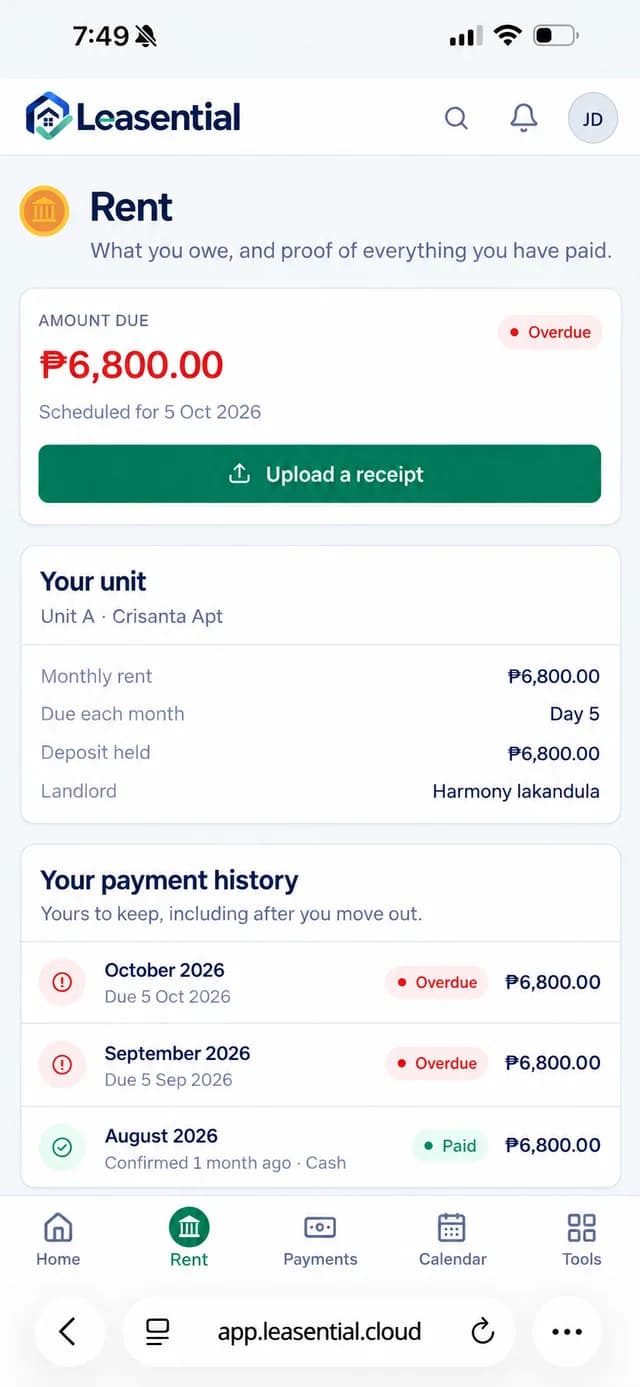
The tenant's rent screen: ₱6,800 overdue, an Upload a receipt button, and their payment history.

Utility bills

Publish water, power or internet bills with the original attached, split into shares that add up to the total.

  • The source bill kept as proof
  • Split per unit or by exact shares
  • Shares reconcile to the total
  • Tenants see the same arithmetic

Splitting a bill by meter or by bedspace is on the paid plans
Your screen
Your tenant’s
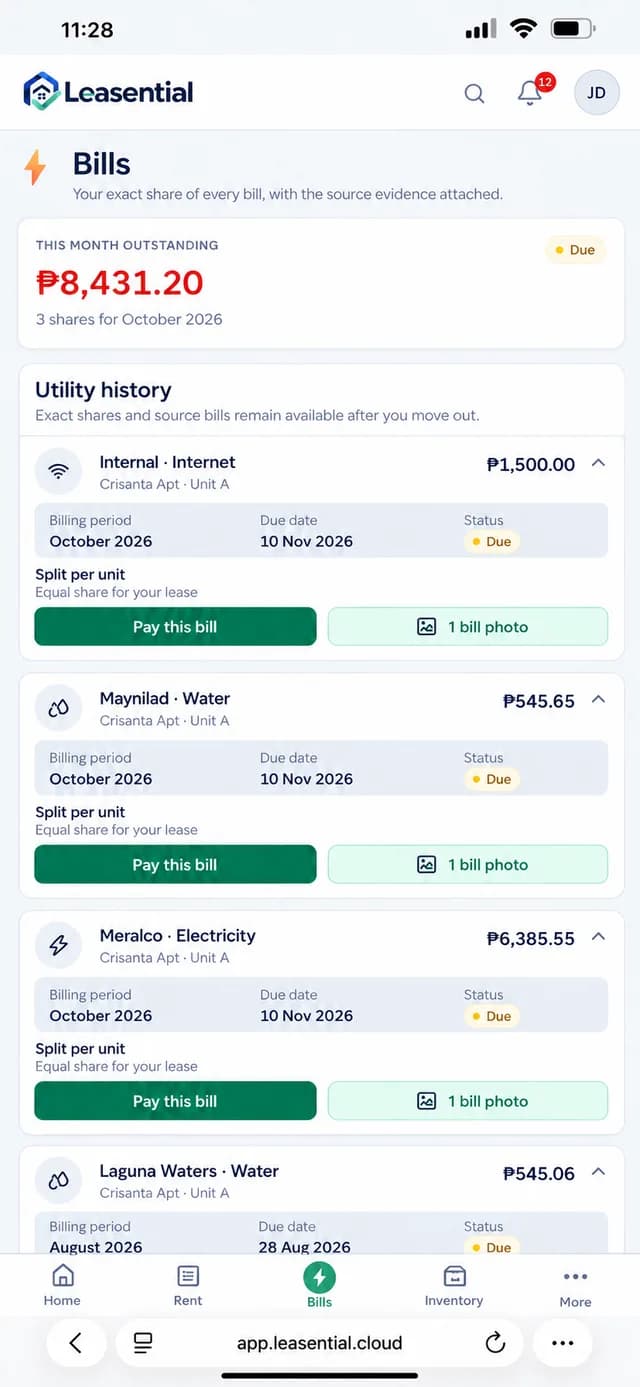
The tenant's bills screen: their exact share of each bill, a Pay this bill button and the bill photo.

Repairs

Tenants report a problem with photos; you follow it from open to resolved without losing the history.

  • Up to three photos per request
  • Urgent requests flagged
  • Status the tenant can follow
  • A photo of the finished repair

The vendor book is on the paid plans

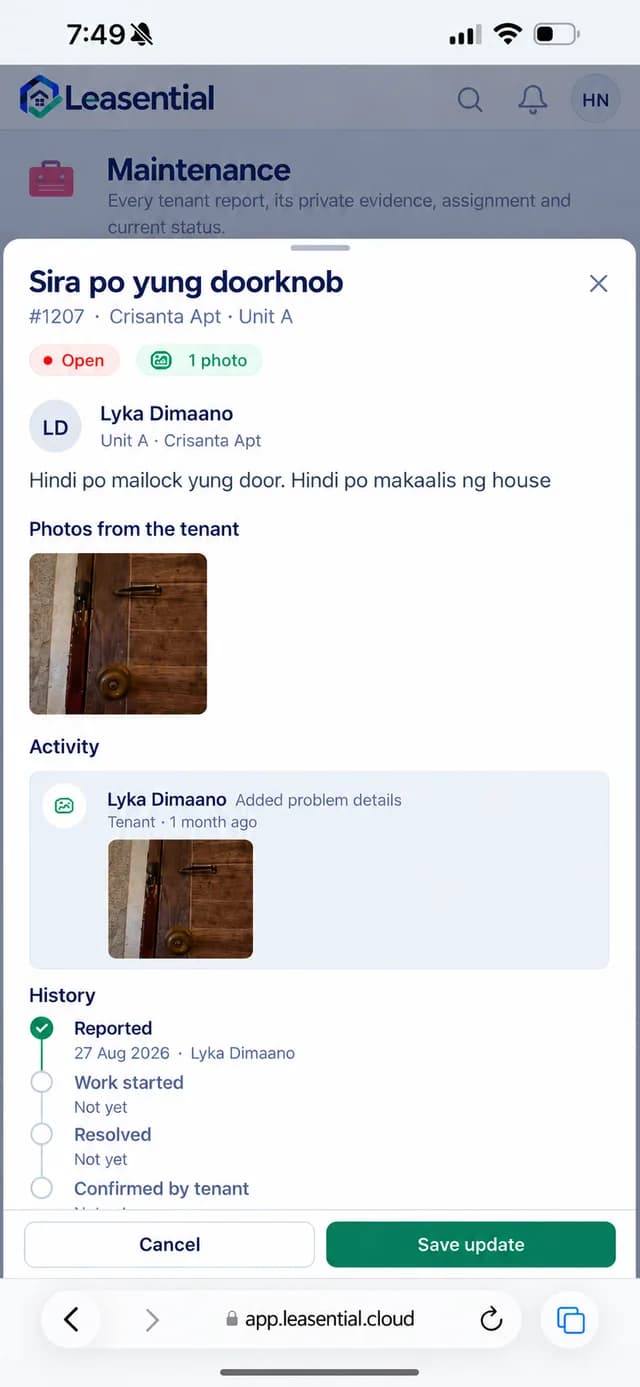
The tenant’s report
A tenant's repair request as the owner opens it: "Sira po yung doorknob", the tenant's note and a photo of the door.
Your reply

Move-in and move-out checklists

Record the condition of every item on the day a tenant moves in, then check it again on the way out.

  • Condition logged item by item
  • Private photo evidence
  • Both sides can review it
  • Move-out compared with move-in

Lease end and turnover

Warnings before a lease ends, notice recorded, and the unit released only when move-out is complete.

  • Lease-end warnings ahead of time
  • Notice recorded on the lease
  • Unit released when move-out is done
  • History kept after the tenant leaves

Deposit settlement is on the paid plans

Expenses

Dated costs recorded against each property by category, with the receipt kept in private storage.

  • Costs recorded per property
  • Sorted by category
  • Receipts stored privately
  • A note on every entry

Reports and exports

Paid plans

Rent collected, costs and the net result for any period, as a branded PDF, a CSV, or a monthly email.

  • Income and expenses side by side
  • Compared with the period before
  • PDF and CSV downloads
  • The monthly report by email

Registers

Paid plans

The rent roll, tenancy and deposit registers for the whole portfolio, drawn straight from your leases and payments.

  • Rent roll
  • Tenancy register
  • Deposit register
  • Always current, never typed twice

Leandro, the assistant

Paid plans

Ask about your own records in English or Tagalog. Leandro reads them and answers; he never changes anything.

  • Who still owes rent
  • What a property cost you
  • Which repairs are open
  • Read-only by design

Tasks, reminders and notes

Paid plans

Your own to-do list, dated reminders, notes, and a vendor book of the people who fix things.

  • A to-do list of your own
  • Reminders with a date
  • Notes you can find later
  • A vendor book for repairs

Calendar

What falls on any day — rent due, lease dates, bills, repairs and tasks — in one view.

  • Rent due dates
  • Lease starts and ends
  • Bills and repairs
  • Your tasks alongside

Notifications

Rent, receipts, repairs, bills and invitations arrive in one place in the app, and as alerts on your phone or computer once you allow them. Payment updates come by email too.

  • One notification centre
  • Phone and computer alerts
  • Switched on or off by category
  • SMS is not included

An app for your tenants

Tenants install Leasential from their browser to pay, upload proof and report repairs — even when the signal drops.
  • Installs without an app store
  • Receipts wait offline, then send
  • Repair photos from the camera
  • English or Tagalog
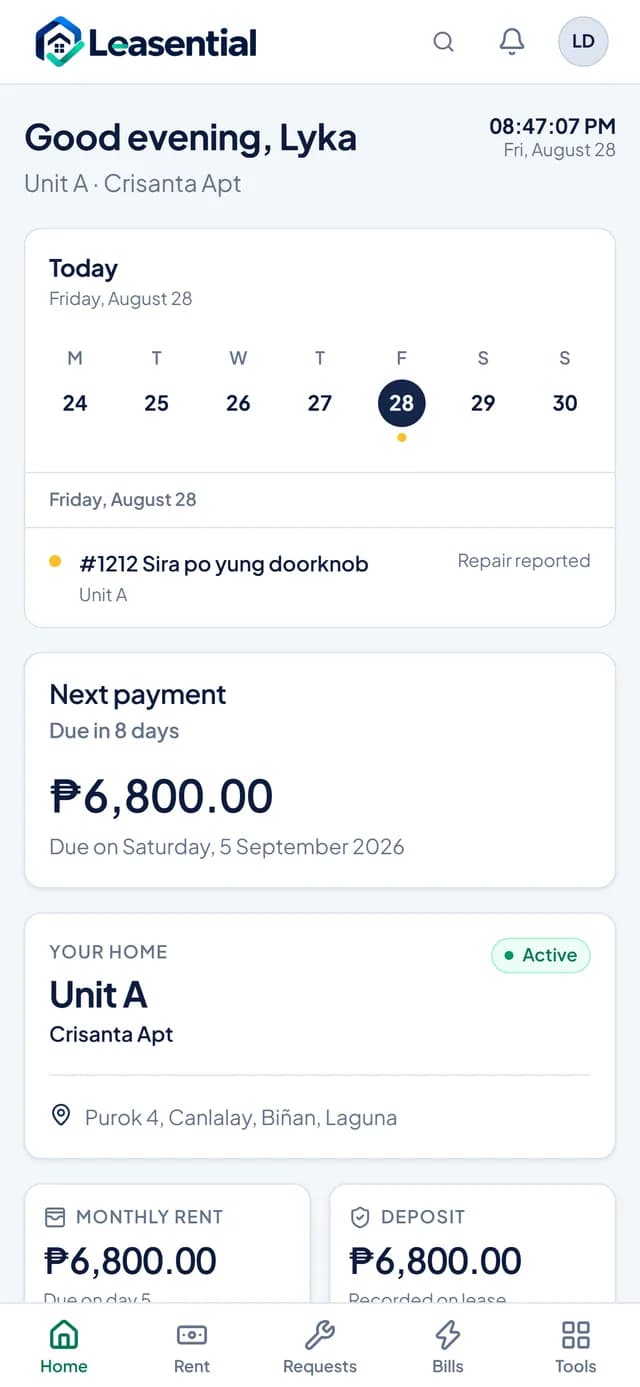
The tenant home screen on a phone.

Free to start. Paid plans from ₱199 a month.

Rent, leases, tenants, repairs, checklists and bills are on every plan. The paid plans add more units and the modules marked above.
See pricing

See your own rentals in it.

Register, then use the private email link to set up your first property. Your tenants join by invitation.